
SignDoc Mobile
WINNER: Popular Choice Award
SignDoc Mobile TAKING SIGNATURES SERIOUSLY
This is a business app for professional integration of handwritten signatures for use as authorization within electronic documents. The app is an enabler for paperless processes as it enables signing of electronic documents using a true electronic signature. The signatures captured with this app are of the highest quality possible on electronic devices, and great care has been taken to make the signatures as realistic as signing on paper.
Unlike other local signing apps, the app has been designed from the ground up for quick and seamless integration into enterprise applications (other apps or web portals) so that signing can be added to existing platforms. The app enables a quick and easy move of current portal and other applications to mobile devices such as those provided by Samsung.
Signdoc Mobile app acts as a client for a back-end signing platform making the application available independent of operation system, or particular hardware.
Certified APP
The app has been certified by TÜV Saarland (part of the German Technical Inspection Association Group) as being secure and has also certified its usage as being self explanatory and intuitive.
REFERENCES
Read in customer reports how SignDoc Mobile became an integral part of various corporate apps – http://sp-l.de/wQll and http://sp-l.de/EuMD.
REASONS FOR SIGNDOC MOBILE
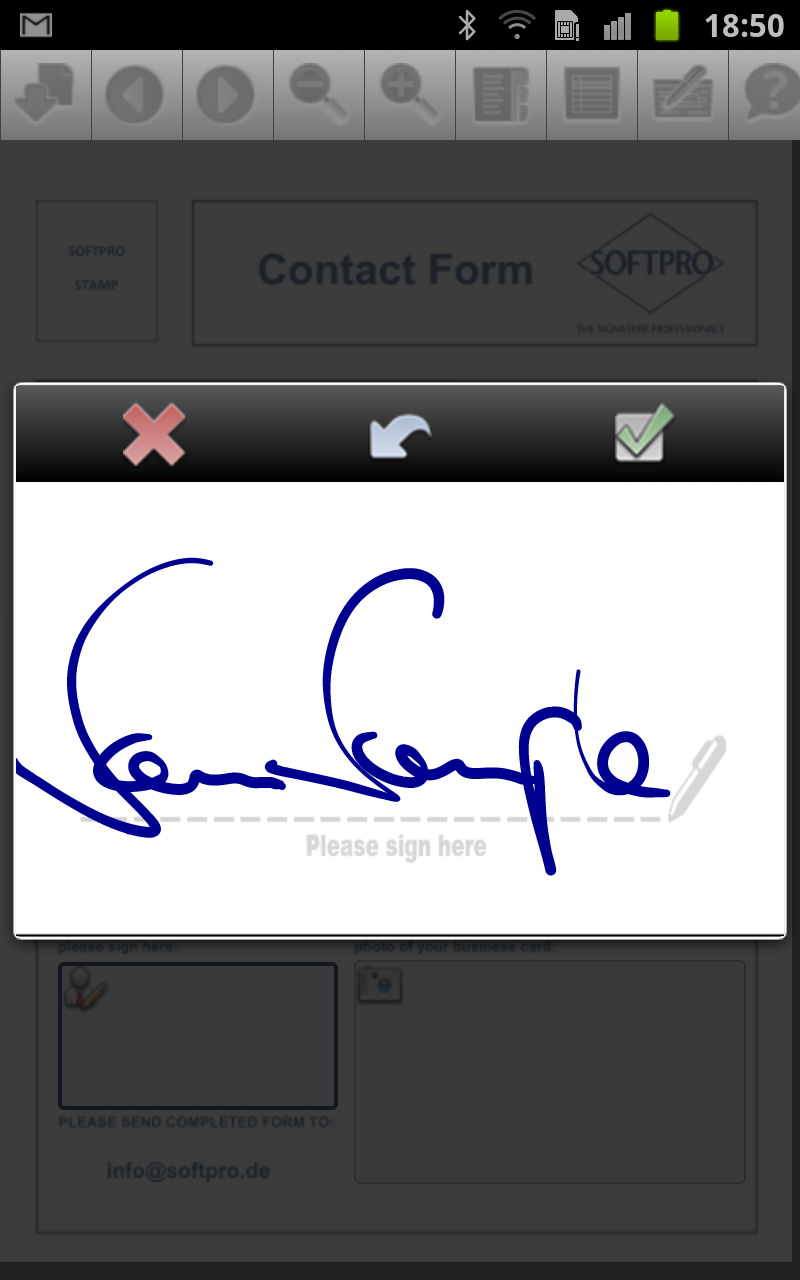
When signing on screen, digital ink is displayed accurately and without any noticable delay. This enables signatures that really look like signatures you would have signed on paper with no apparent loss of quality to be used in electronic documents.
Additionally, SignDoc Mobile enables
• capturing of signatures with characteristics allowing a reliable authentication of the signer of a document
• creating signed documents whose integrity can be verified by anyone
• keeping electronic forms and sensitive data within the secure IT environment of your own organization
Signdoc mobile captures signatures including the biometric signals of time and location and, uniquely on Samsung devices, even pressure levels. Biometric signature data are stored within signatures compliant to the ISO/IEC 19794-7 standard. SignDoc Mobile signatures are not just images but uniquely identifying biometric characteristics of the signer.
The PDF documents that are signed with Signdoc Mobile are sealed with a digital signature compliant to PDF standard ISO 32000 (“Adobe DigSig”). Signed documents may be validated with most PDF readers (incl. Adobe Reader)
USE OF S-PEN S-PEN is used within SignDocMobile for the signature capturing portion of the app. It delivers an extremely high quality signature that is comparable to very high end devices that have been designed specifically for signature capturing applications however making this data quality available to mobile devices. S-PEN enhances our application significantly by providing data signals that make it possible for us to render realistic and beautiful looking signatures. S-PEN truly makes a difference: Capturing of different pressure levels increases the quality of data captured and enables usage of the signatures for biometric signature verification. The more accurate and diverse the signals are that are captured from a device throughout the signing procedure, the more unique the set of signature data becomes for a particular signer. The additional data makes both an automated verification possible, as well as providing more data for handwriting experts for a manual verification. In short, it significantly increases the security and trustworthiness of the signature. Increased data signals provided by S-PEN makes it possible to render beautiful signatures that gain immediate acceptance with users. This leads to an instant, exact, and natural display of digital ink on screen throughout the writing process Feel of writing on display very close to writing on paper due to feedback provided by S-Pen.
SIGNDOC MOBILE FEATURES
Use this SignDoc Mobile App similar to its use in enterprise networks where the signature platform SignDoc Web (http://sp-l.de/vJTi ) is installed.
You can familiarize yourself with the features by watching a short introduction video http://sp-l.de/Bcvq
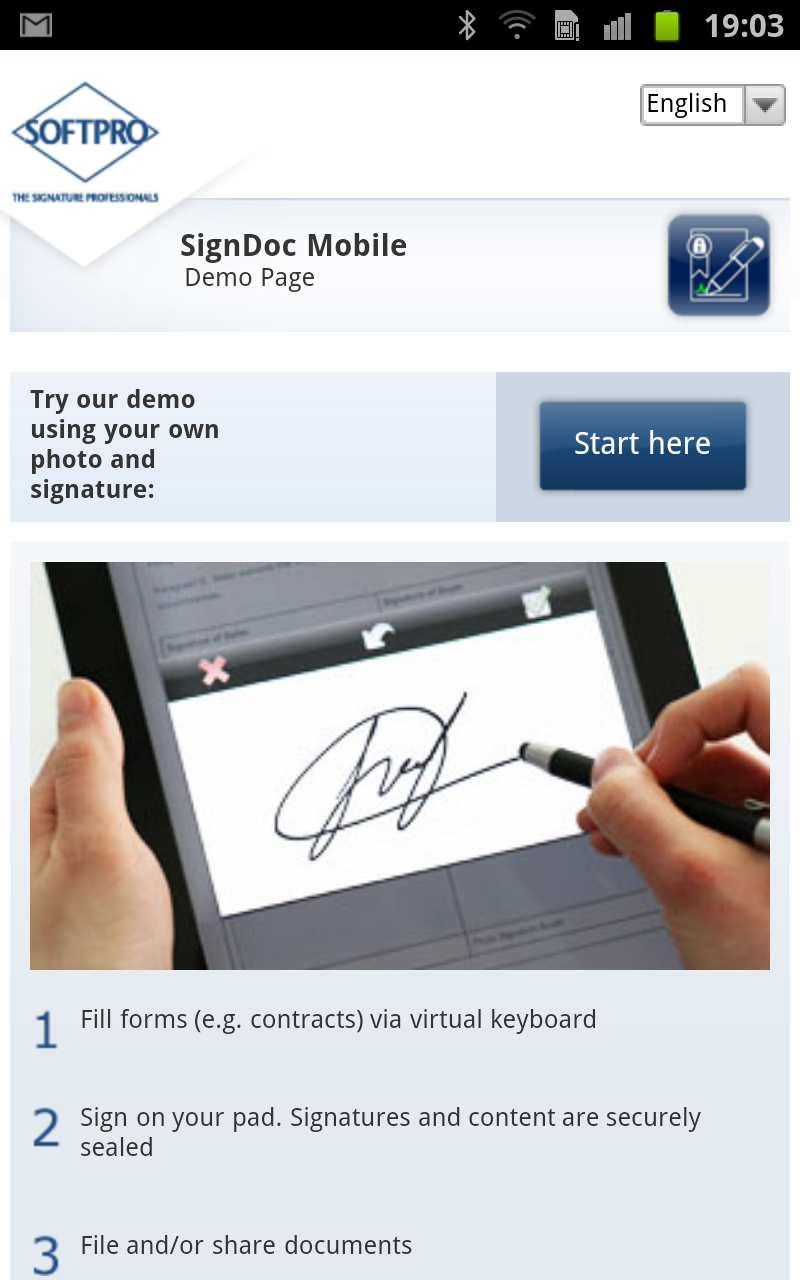
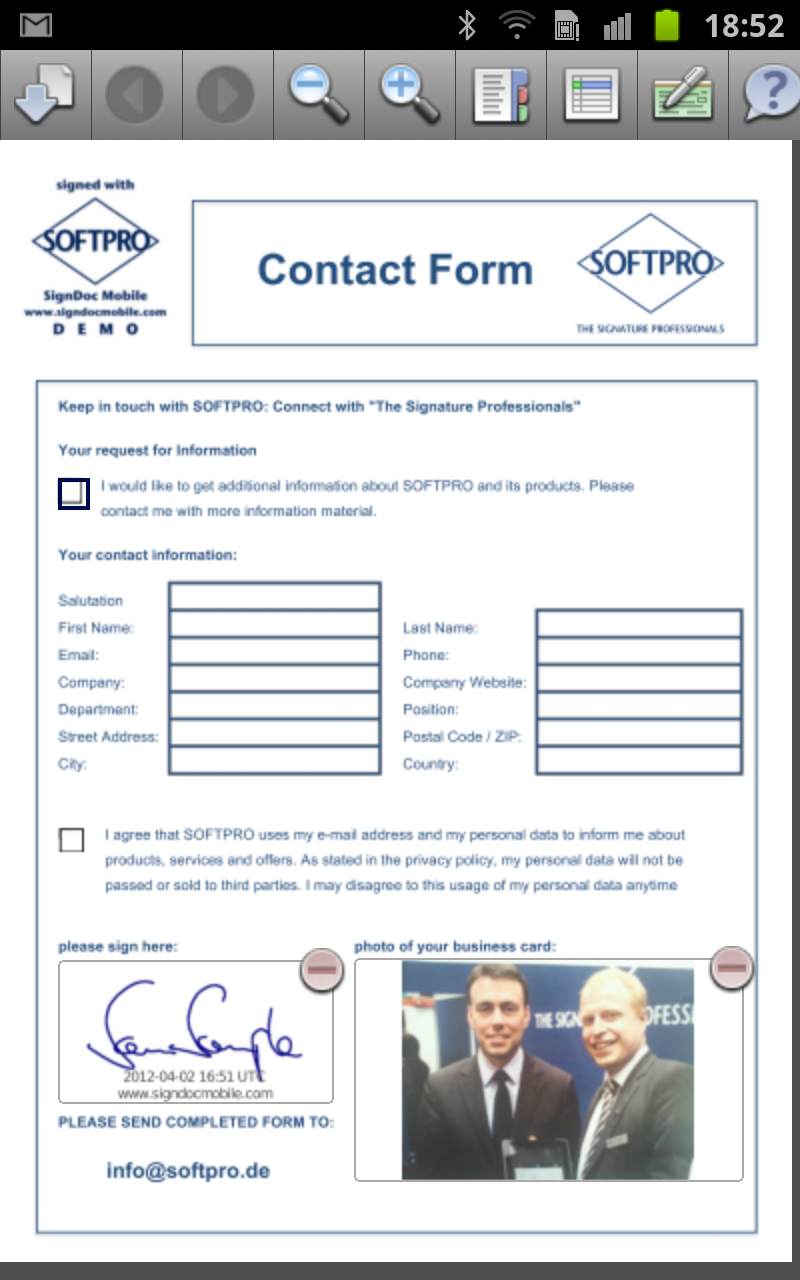
A secure web server has been set up specifically for users of this app so that you can E-Sign any PDF file with this app on your tablet PDF for free • with your handwritten signature and/or • by creating an image of the signer using the built-in camera and/or • by taking a photo of an ID document – depending on the requirements of your process.
You can either sign sample files, or upload your own documents and place your own signature fields for signing. Once signed, the documents can either be sent via email, stored locally on your devices, or on a cloud service such as Dropbox.
CONFIGURATION
The configuration used by the app demonstrates a standard user interface for e-Signing electronic documents. A more tailored user experience can be set up by deploying an individual SignDoc Web server as a company server which is private to an organization.
MORE INFORMATION
Product Information http://www.signdocmobile.com
Product Support mailto:signdocmobile@softpro.de
Latest buzz on E-Signing with Tablets and Smartphones via Facebook and Google Plus http://facebook.com/softpro.de http://gplus.to/softprogroup
16 comments
Javier Cruchaga • about 14 years ago
Biometrical signatures incrusted on pdf files.
Very easy to use and to interface with other aplications.
Congratulations to the designers.
Ibrahim Daye • about 14 years ago
The Biometrical Signatures works on any Documented files.
Friendly and Smoothly use on Applications.
Wishing you the best.
Erich Bauer • about 14 years ago
Apps like this one are much needed to keep our offices as paperless as possible.
Way to go, Signdocmobile team!
Raul Simo • about 14 years ago
No more trips to banks! Thanks for contributing in reducing traffic jams!
heinz reschke • about 14 years ago
An application which every enterprise nowadays needs in order to improve their business processes. Just great.
felix reschke • about 14 years ago
Wow, signing contracts on the sofa... that's great!
Irina Kulakova • about 14 years ago
This application is absolutely must have for anyone. Really great and easy to use.
danilo troncoso • about 14 years ago
Fácil de usar, gran ahorro de tiempo, posibilidad de guardar tus contratos en tu computador y de tenerlos siempre a mano, ahorro de costos por menor uso del papel, tremenda contribución a nuestro ecosistema !!!
Georg Ludwig Verhoeven • about 14 years ago
This app should definitely be a standard feature in each serious mobile phone.
Julian Döhl • about 14 years ago
best of its kind in this competition. however not the only app capturing signatures. may have big commercial potential when integrating some features of other e-sign apps to cater for both tablets and smartphone display sizes. definitely an app to download and hope for exciting updates
danilo troncoso • about 14 years ago
The solution is already available for Windows, iOS and Android, so you can already use it on iPAD tablets, Samsung tablets, iPhones, Samsung mobile phones and any other equipment using those operating systems, i.e. almost on any new device and environment which is something realy promising
Simon Döhl • about 14 years ago
my signature really looks great with this app on a Galaxy Note. Would love to see UPS, DHL, TNT and the like using this too. That would mae a big difference as I do not trust the devices they are using today as they show something not even close to my signature.
Marlena Sarraf • about 14 years ago
What I like about this app is that it is very straightforward without too many frills. It does what it says it does and does it very well. I agree with a previous poster. That is what signatures are supposed to look like. I guess its partly because of the obvious good use of the S-pen. Anyways, kudos to the developers. This is very useful.
Henry Schuetz • about 14 years ago
At last, the excuse "I am sorry can't sign the document because I am traveling." doesn't work anymore. Great!
Kristian Bell • about 14 years ago
this app should have been disqualified from the popular vote.. very disappointing.. Focuspoint should have won it..
jeff mahone • about 14 years ago
Yes, i agree.
Its sad, that the organizer of the challenge didn't realize these fakes.
in google play store the Softpro App has only 7 comments and only about 500 downloads worldwide!!!!
and in the galaxynotespenchallenge (which is, of course, not as popular and known by the public as the google play store) they have 14 "nice" comments and had about 1300 votes!
this is unrealistic.